Screenshots should not be random souvenirs.
In BlackKnightController, a screenshot can be an operational artifact: a regenerable proof that a resource graph, pipeline view, inventory screen, or edge map existed in a known state.
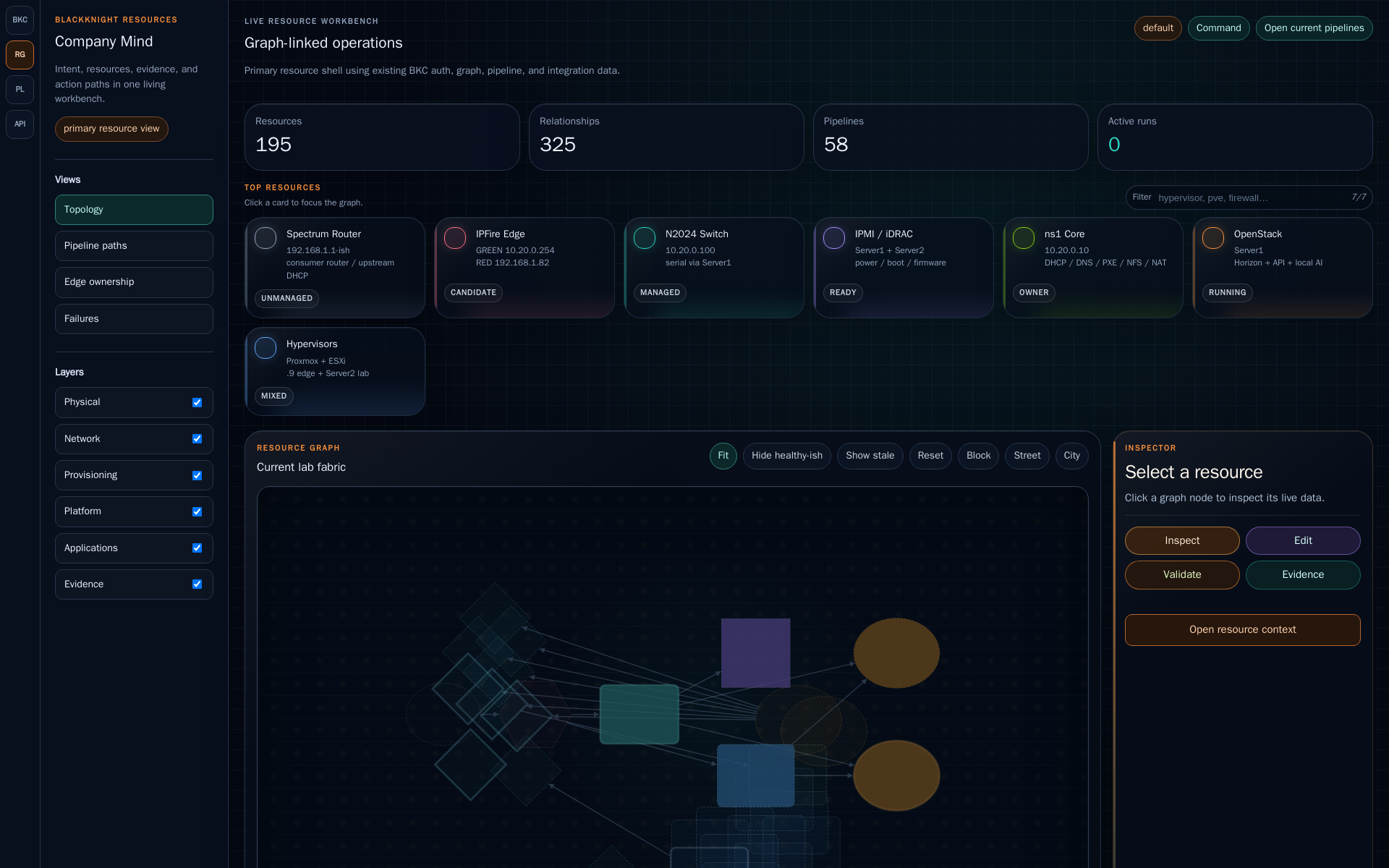
The capture loop
The pattern is:
refresh data -> open view -> wait for proof selector -> capture PNG -> attach evidence
That makes UI documentation less fragile. Instead of manually grabbing whatever the browser happened to show, BKC can keep a small manifest of views and produce the same documentation shots again after the lab changes.
The current capture tool reads a manifest, logs into BKC when needed, opens the configured routes, waits for stable selectors, and writes PNG files.
python tools/capture_bkc_views.py \
  --base-url http://swarm1.lab.auzietek.com:5000
For noisy workstation browser stacks, the same idea runs cleanly in a container:
docker run --rm \
  -v "$PWD:/work" \
  -w /work \
  mcr.microsoft.com/playwright/python:v1.45.0-jammy \
  python tools/capture_bkc_views.py
Manifest-driven proof
A capture entry can describe the route, output name, wait selector, dimensions, and optional actions:
{
  "name": "bkc-beta-edge-graph",
  "path": "/resources",
  "width": 1920,
  "height": 1400,
  "wait_for": "#beta-cy",
  "capture_selector": ".graph-panel",
  "actions": [
    {
      "kind": "click",
      "selector": "[data-view-mode='edge']",
      "settle_ms": 3000
    }
  ]
}
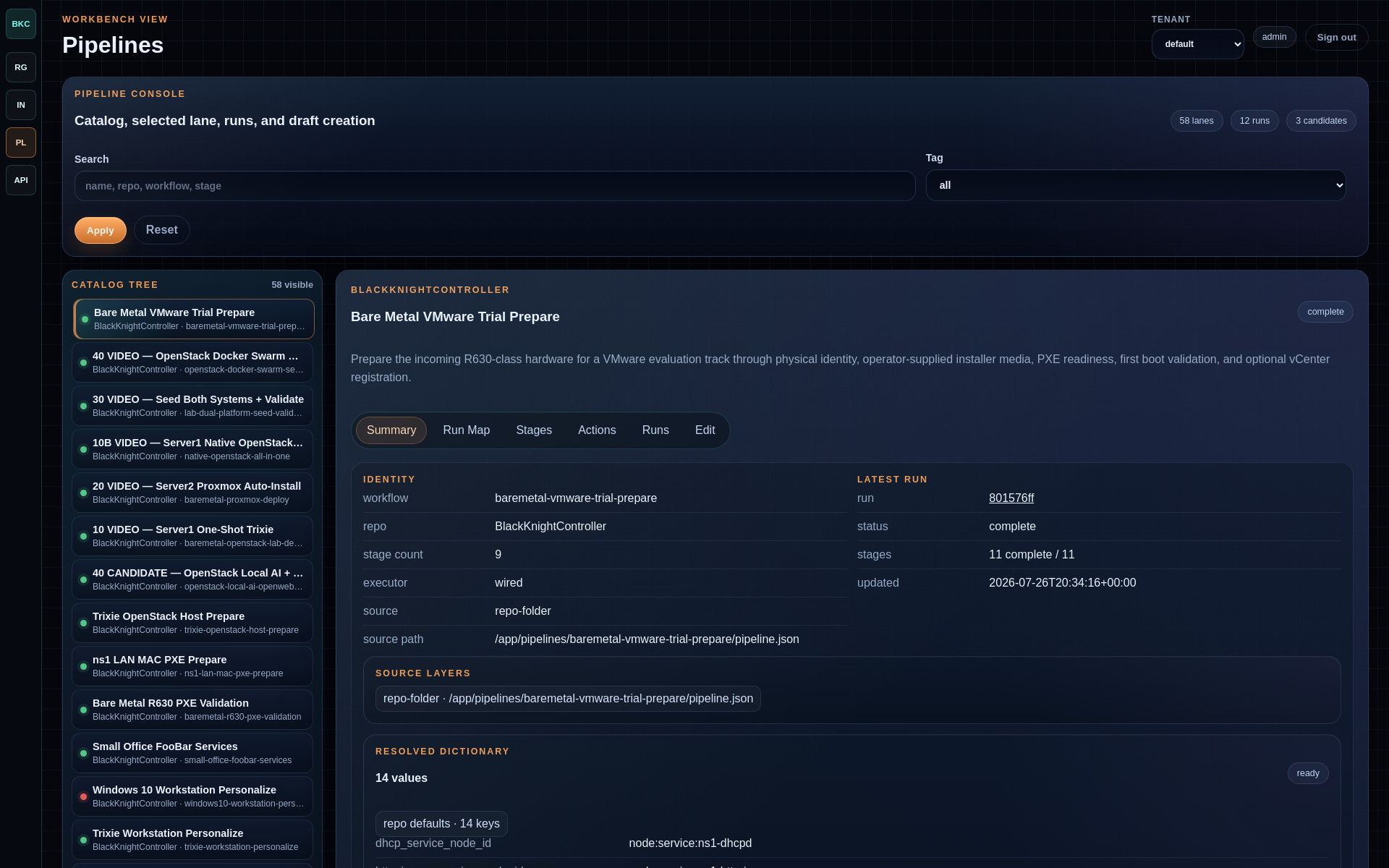
That small manifest is powerful. It lets a pipeline capture exactly the graph view, pipeline workbench, or edge-ownership story that belongs in a README, public article, run evidence bundle, or video recap.
Why this belongs in BKC
Infrastructure automation is easier to trust when evidence stays near the action. A pipeline run can say it deployed something. A screenshot can show the result in context. A graph can show what changed around it.
BKC should eventually wrap the capture path as a pipeline step:
- refresh inventory and resource graph data;
- open the selected view;
- capture the PNG;
- attach the output path to the run;
- optionally publish selected images to docs or the public site.
That gives the operator a clean view -> png -> docs/site path without manual
screenshot drift.
What the captures are useful for
The same image can serve several purposes when it is captured deliberately:
- a README can show the exact pipeline or graph view it describes;
- a public article can prove the lab state behind the story;
- a video deck can reuse the current interface instead of stale mockups;
- a pipeline receipt can preserve what the operator saw during validation;
- a bug report can compare before and after states without vague memory.
That is why the capture path should live near BlackKnightController rather than as a random desktop habit. The image is not decoration. It is evidence with a source route, timestamp, selector, and intended audience.
Example capture manifest
A useful manifest should stay boring. The goal is to describe what to open and what counts as ready:
[
  {
    "name": "resources-company-mind",
    "path": "/resources",
    "width": 1920,
    "height": 1400,
    "wait_for": "#beta-cy",
    "capture_selector": ".graph-panel"
  },
  {
    "name": "pipeline-detail-edit",
    "path": "/pipelines/blackknight-pipeline-demo",
    "width": 1920,
    "height": 1400,
    "wait_for": ".pipeline-step-editor",
    "capture_selector": "main"
  }
]
The selector is the contract. If the UI changes and the selector disappears, the capture fails loudly instead of publishing a blank or misleading image.
Why this helps AI-assisted operations
AI assistance works better when it is grounded. Text logs, JSON state, and API responses are useful, but visual context can reveal layout problems, missing relationships, stale nodes, broken cards, and confusing operator paths.
In the recent UI work, screenshots exposed things the code alone did not make obvious: graph nodes that looked like smudges, stale Proxmox islands, crowded side rails, weak contrast, broken article media, and proof cards pointing at bad slugs. Those screenshots shortened the feedback loop.
The long-term BKC pattern is simple:
operator asks
  -> BKC opens the view
  -> capture records the evidence
  -> Codex/Astra/human review the same artifact
  -> fix lands in code or content
  -> capture proves the change
That is not a gimmick. It is the visual side of configuration as code.